
Appearance
Getting Started
Welcome. This guide covers everything from creating an account to the last button on the map toolbar, written for people who have to get work done rather than for people who like software.
Nothing here needs installing. If you have a browser and a sign-in, you are ready.
What is in this guide
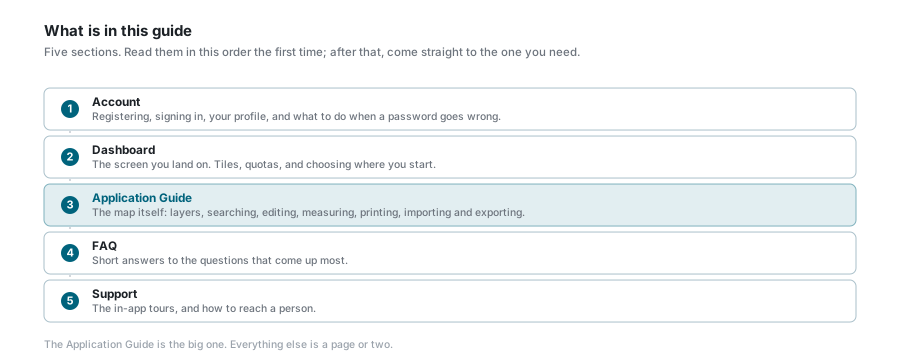
| Section | What it covers |
|---|---|
| Account | Registering, signing in, your profile, and what to do when a password goes wrong. |
| Dashboard | The screen you land on. Tiles, quotas, and choosing where you start. |
| Application Guide | The map itself: layers, searching, editing, measuring, printing, importing and exporting. |
| FAQ | Short answers to the questions that come up most. |
| Support | The tours built into the app, and how to reach a person. |
What you need
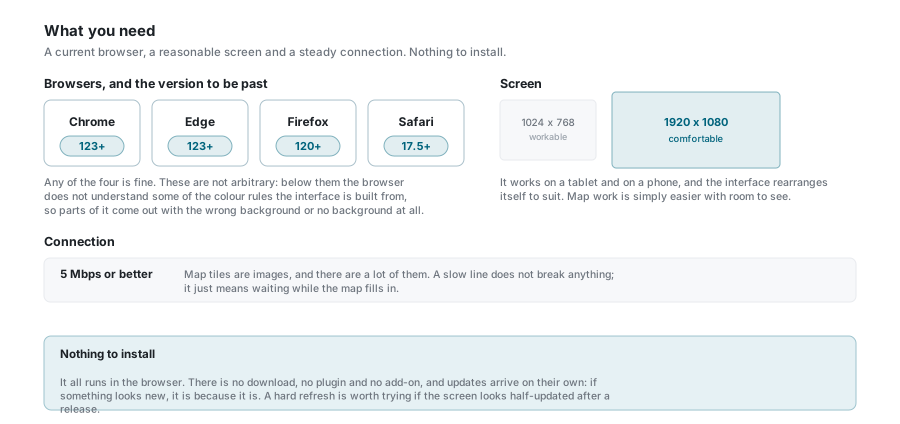
A browser
| Browser | Version to be past |
|---|---|
| Google Chrome | 123 |
| Microsoft Edge | 123 |
| Mozilla Firefox | 120 |
| Apple Safari | 17.5 |
These are not arbitrary numbers. The interface is built on colour rules that older browsers do not understand, and where a browser does not understand a rule it simply ignores it - so parts of the screen come out with the wrong background, or none at all. Everything still works; it just looks wrong, and telling that apart from a real fault wastes your time.
If in doubt
Use whatever your browser offers to update itself, and you will be well past all four numbers. Chrome and Edge get the most testing.
A screen
- 1024 x 768 is workable.
- 1920 x 1080 or more is comfortable.
It runs on a tablet and on a phone, and the interface rearranges itself to suit - see what changes on a phone. Map work is simply easier with room to see.
A connection
5 Mbps or better. Map tiles are images and there are a lot of them, so a slow line does not break anything; it just means waiting while the map fills in.
Nothing to install
It all runs in the browser. No download, no plugin, no add-on. Updates arrive on their own, so if something looks new it is because it is. If the screen looks half-updated just after a release, a hard refresh usually settles it.
Where to start
- Get an account. Register if self-registration is switched on, or ask your administrator to create one.
- Sign in. See Sign In, including what happens with two-factor codes and single sign-on.
- Look around the dashboard. See Dashboard, and pick the page you want to land on.
- Open an application from a tile. The map opens.
- Read Understanding the Interface for the parts of the screen that are always there.
- Then work through the Application Guide at whatever pace suits you.
Every page has a tour
Wherever you are in the app, the ? button in a panel's header walks you round that panel one control at a time. It is often quicker than looking something up.