
Appearance
Keyboard Shortcuts
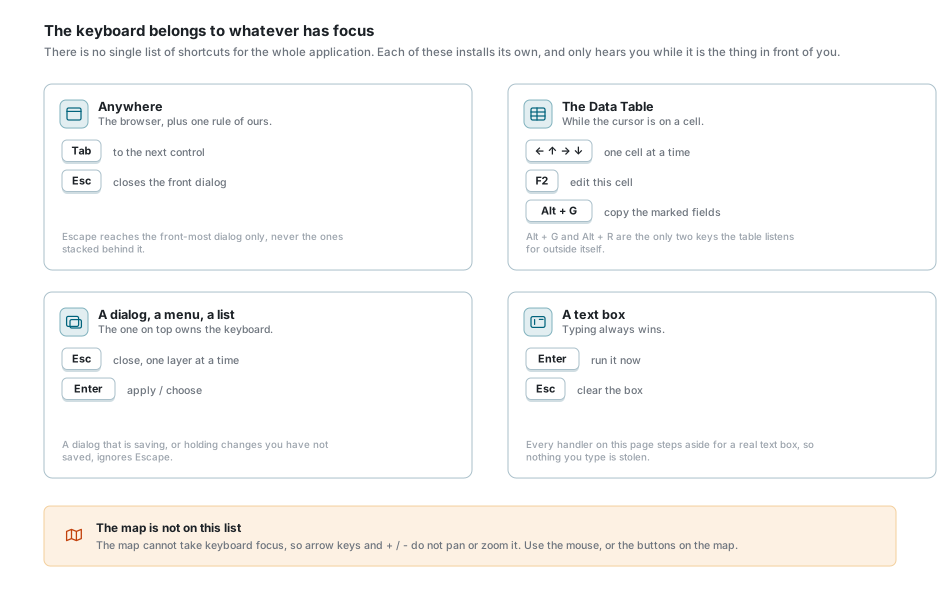
A keystroke goes to whatever has the keyboard at that moment. Each part of the application listens for its own small set of keys, and there is no list that works everywhere. This page is arranged by where you are, because the same key can mean one thing in the Data Table, something else in a dialog, and nothing at all on the map.
Two rules hold everywhere:
- A text box always wins. Every handler on this page steps aside while you are typing into a box, so nothing you type is taken away from you.
- Whatever is in front owns the keyboard. The front-most window answers to Escape. The ones stacked behind it carry on as they were.
Anywhere in the application
| Key | What it does |
|---|---|
| Tab / Shift + Tab | Moves to the next or the previous control. This is the browser's own behaviour, and it works on every screen. |
| Enter or Space | Presses the button that has focus. |
| Escape | Closes the front-most dialog, menu or list. Only the front one. |
Escape does not always close a dialog, and that is deliberate. One that is busy saving ignores it, and so does one holding changes you have not saved: the record editor answers to Escape while it is showing you a record, but not while you are changing one. Close those with their own Cancel or Close button.
The fullscreen button on the map hands the page to the browser, so Escape is the browser's way out of it. See Map Navigation.
In the Data Table
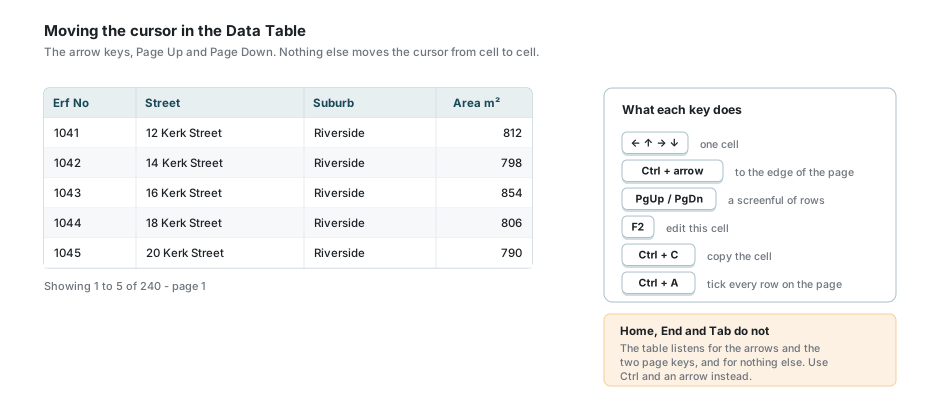
The Data Table has a cursor, the way a spreadsheet does: one cell is the current one, and these keys move it. Click a cell to put the cursor there in the first place.
| Key | What it does |
|---|---|
| ← ↑ → ↓ | One cell in that direction. |
| Ctrl + arrow | Straight to the edge: the first or last column, the first or last row of the page you are on. |
| Page Up / Page Down | Up or down by as many rows as fit on the screen. |
| F2 | Opens the editor on the cell the cursor is on. |
| Enter | Opens the editor as well, on a cell you are allowed to edit. |
| Ctrl + C | Copies the value of that one cell to the clipboard. |
| Ctrl + A | Ticks every row on the page, and untick them all if they were already ticked. Inside a text box it selects the text instead. |
Two of these are worth reading twice. Ctrl + A ticks the rows of the page in front of you, not the whole layer, because that is all the table has fetched. And Ctrl + C copies the one cell the cursor is on, not the row and not the selection.
Crossing to the next page
Press the down arrow on the last row and the next page is fetched, and the cursor lands on the first row of it, in the same column. The up arrow on the first row does the mirror image: the previous page, last row, same column. Page Up and Page Down cross the same way once the jump would carry you past the end.
Paging this way needs the key to be released before it will page again, so holding the arrow down runs to the end of the page and waits for you there rather than flying through the whole layer.
Home, End and Tab do not move the cursor here. The table listens for the four arrows and the two page keys and for nothing else, so use Ctrl and an arrow to get to the end of a row.
Editing a cell
| Key | What it does |
|---|---|
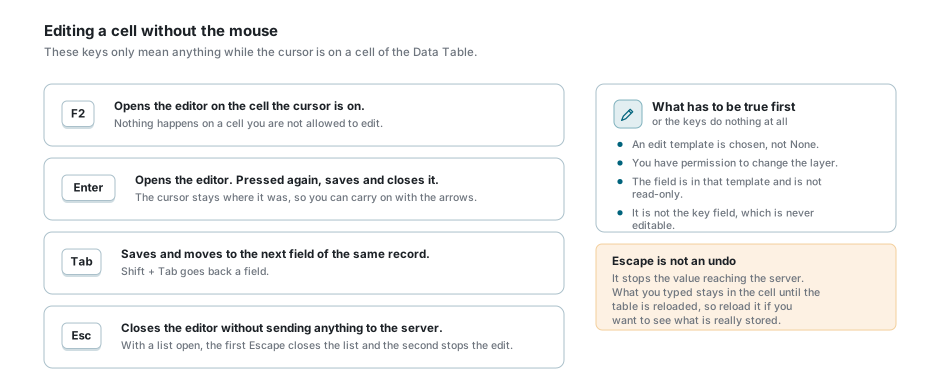
| F2 | Opens the editor on the cell the cursor is on. |
| Enter | Opens the editor. Pressed again, saves what you typed and closes it. |
| Tab / Shift + Tab | Saves and moves to the next or previous field of the same record. |
| Escape | Closes the editor without sending anything to the server. |
None of them do anything unless the cell can be edited at all: an edit template has to be chosen, you need permission to change the layer, and the field has to be in that template and not marked read-only. The key field of a record is never editable. See Data Table.
With a list open inside the editor, the first Escape closes the list and the second stops the edit, because the list gets the first one.
Escape is not an undo
It stops the value reaching the server, and clicking away afterwards will not save it either. What you typed stays in the cell until the table is reloaded, so if you want to see what is really stored, press the reload button on the table.
Copying values between records
| Key | What it does |
|---|---|
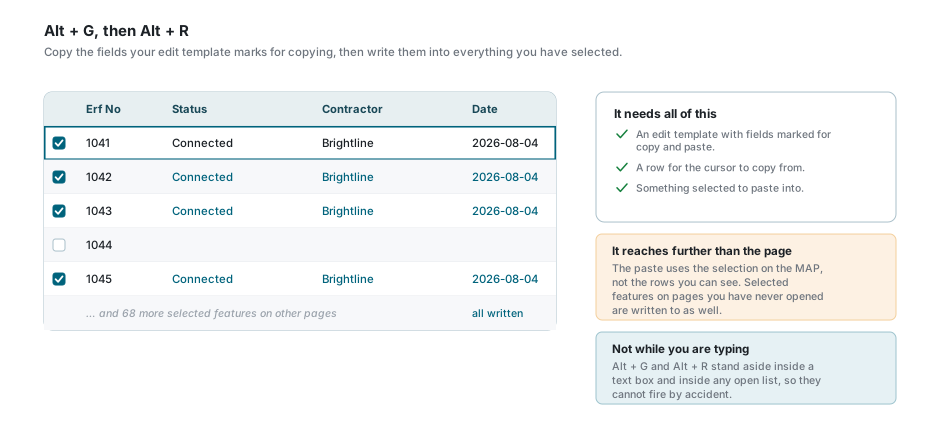
| Alt + G | Get. Copies the fields your edit template marks for copying, from the row the cursor is on. A message names the fields it took. |
| Alt + R | Replace. Writes those values into everything you have selected. |
These two are the only keys the Data Table listens for while the cursor is somewhere else entirely, so they work from the map as well as from the table. They stand aside inside a text box and inside any open list, so they cannot fire while you are typing.
Alt + R reaches further than the page you can see
The paste writes to the selection on the map, not to the rows in front of you. The table only ever holds one page of them. If you have five hundred features selected, all five hundred are written to, and there is no undo.
The search box and the page number
| Key | What it does |
|---|---|
| Enter in the search box | Runs the search at once. Typing on its own runs it too, about half a second after you stop. |
| Escape in the search box | Clears the box and brings all the records back. The cursor stays in the box. |
| ↑ / ↓ in the page number | Down goes to the next page, up to the previous one. Held down, it counts through the pages and loads the one you stop on. |
| Enter in the page number | Goes to the page you typed. A number past the end takes you to the last page. |
| Escape in the page number | Cancels a jump that is still loading and puts the box back to the page you are looking at. |
Dialogs, menus and lists
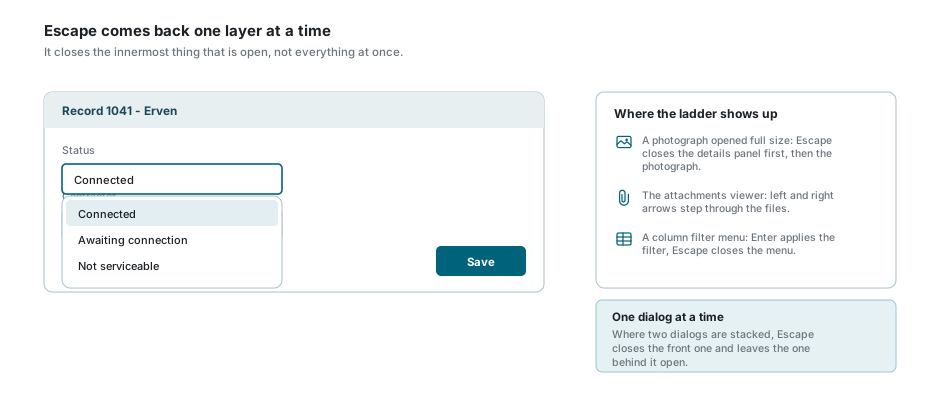
Escape comes back out one layer at a time. With a list open on top of an editor inside a dialog, the first Escape closes the list, the second closes the editor and only the third reaches the dialog. This is why one Escape sometimes seems to do nothing: it was spent on something you had forgotten was open.
| Where | Keys |
|---|---|
| A column filter menu | Enter applies the filter, Escape closes the menu. See Column Filters. |
| A dropdown list | Enter, Space or a down arrow opens it. The arrows move through it, Enter chooses, Escape closes it and hands the keyboard back to the box. |
| A photograph opened full size | Escape closes the details panel first, and the photograph second. |
| The attachments viewer | Left and right arrows step through the files. Escape closes it. See Attachments. |
| The More tools menu | Escape closes it. See Map Tools. |
In the search panel, Enter searches for what you have typed and Escape clears the box. While the suggestion list is open, the arrows move through the suggestions and Enter takes the one you are on. See Searching.
While you are georeferencing an image
The image matcher is the one part of the product with a proper set of editing keys. They work wherever you are inside that window, so you do not have to click a particular panel first.
| Key | What it does |
|---|---|
| Delete or Backspace | Removes the selected control points, or the last corner of the outline you are drawing. |
| Ctrl + Z | Undoes the last thing you did to the control points. |
| ← ↑ → ↓ | Nudges the selected points one pixel. Hold Shift for ten. |
| Enter | Finishes the outline you are drawing, once it has three corners. |
| Escape | Drops the selection, or the half-placed point, or the outline in progress. Pressed with none of those open, it closes the window. |
See Georeferenced Images.
The calculator claims the number keys
While the calculator under the map is open, the digits, . , + - * / and = and Backspace go to it wherever you are on the screen. That is deliberate: without it, a pressed plus or minus went to the map and zoomed it instead of reaching the calculator.
The rest of its keys only work once you have clicked the calculator itself: Enter for the answer, Escape to clear it, s, c and t for sine, cosine and tangent, q for a square root, and Ctrl + C or Ctrl + V to copy the number out or paste one in. Closing the calculator gives the keys back.
What the keyboard does not do
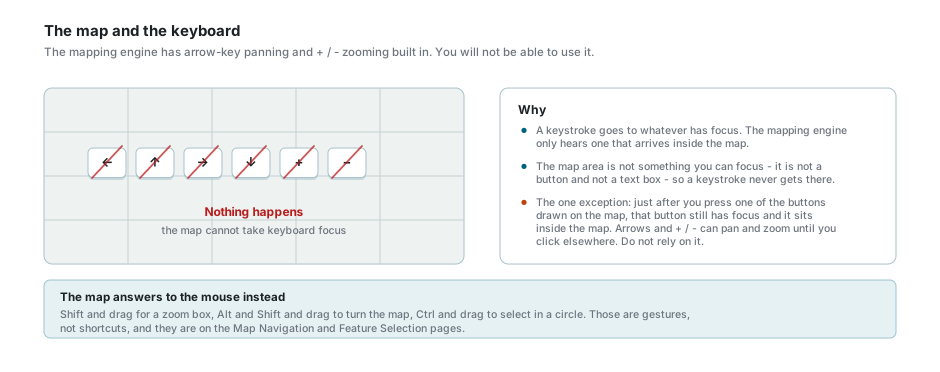
There is no keyboard navigation of the map. The mapping engine has arrow-key panning and + / - zooming built into it, but a keystroke only reaches it when something inside the map has the keyboard, and the map area itself cannot be focused. The one exception is the moment after you press one of the buttons drawn on the map: that button still holds the keyboard, and it sits inside the map, so the arrows and + / - can move the map until you click somewhere else. It is a side effect of where the focus is, not a shortcut, and it is not worth relying on.
There is also no key for any of these, whatever other software may have taught you to expect:
- No shortcut opens a tool on the toolbar, a panel, or the Data Table.
- Nothing is undone with Ctrl + Z except in the georeferencing window, and nothing is saved with Ctrl + S.
- While you are drawing or moving a feature, Escape does not cancel it and Delete does not remove a corner. Use the buttons in the editing window. See Editing Records & Spatial Data.
- Delete does not remove a record. Records are deleted from the row, and you are asked first.
The map answers to the mouse instead
Shift and drag draws a zoom box, Alt and Shift and drag turns the map, Ctrl and drag selects in a circle, and Shift or Ctrl and a click adds to a selection. Those are mouse gestures rather than shortcuts, and they belong to Map Navigation and Feature Selection.
If something looks wrong
| What you see | What it means |
|---|---|
| The arrow keys do nothing in the table | The cursor is not in the table. Click a cell first. |
| The arrow keys scroll the page instead | Same thing: nothing in the table has the keyboard. |
| Home or End does nothing in the table | Neither is a table key. Ctrl and an arrow goes to the edge instead. |
| Tab does not move to the next cell | It only moves cells while a cell editor is open. Use the arrows. |
| F2 or Enter does not open an editor | No edit template is chosen, the field is read-only, or you may not change the layer. |
| Escape closed nothing | Something inside it took the key, or the window is saving, or it is holding changes you have not saved. |
| Escape closed two things at once | It should not. Only the front window answers. Tell your administrator if it happens again. |
| Escape did not put the old value back | It never does. It stops the save; reload the table to see what is stored. |
| Alt + G says nothing was copied | No edit template is chosen, or the template has no fields marked for copying. |
| Alt + R changed more records than expected | It writes to the whole selection on the map, not to the page in front of you. |
| The map will not pan with the arrow keys | It never does. The map cannot take the keyboard. |
| A plus or minus zoomed the map unexpectedly | A button on the map still had the keyboard from your last click. Click the map itself and it stops. |
| Typing a number goes somewhere unexpected | The calculator is open and claims the number keys. Close it. |
See also
- Data Table - the cursor, inline editing and the copy and paste fields
- Map Navigation - the mouse gestures the map does answer to
- Feature Selection & Popup - Shift, Ctrl and the click
- Editing Records & Spatial Data - drawing, moving and the buttons that do the work
- Georeferenced Images - the one window with a full set of editing keys